

Online quote generator
A free tool to create quotes online at no cost. With our generator you can build them with a professional structure and the essential fields to present your offer to the customer clearly.
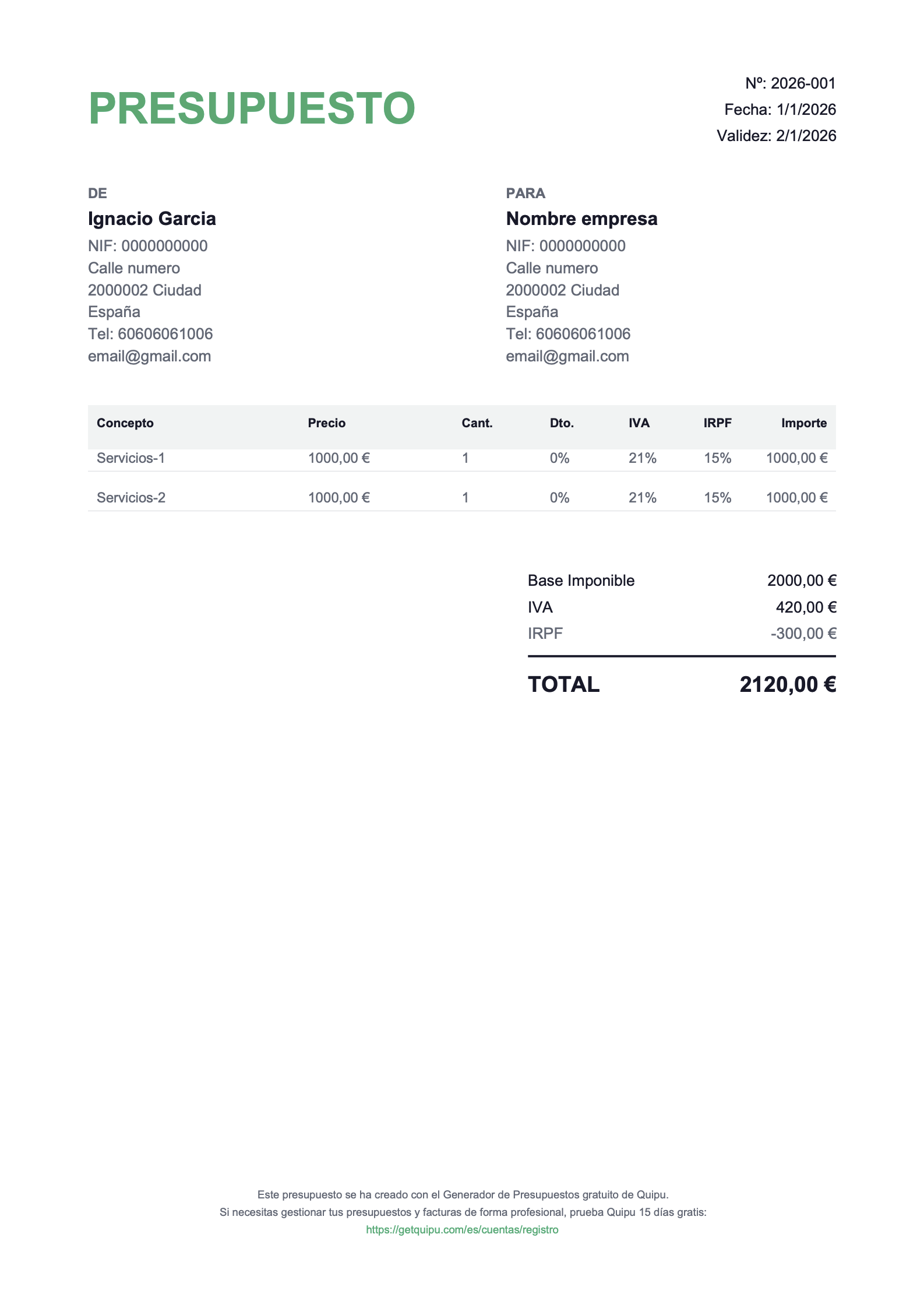
Key elements of a quote: what it absolutely must include
A good quote isn't "a price in a PDF". It's a document that prevents misunderstandings, protects both parties and speeds up the "yes". These are the blocks you should always include, and what changes if the quote is for a product or a service.
-
✅ Identify issuer and customer
-
✅ Define the scope + exclusions (key in services)
-
✅ Detail line items with quantities and prices
-
✅ Break down taxes and final total
-
✅ Include delivery/execution + payment terms
-
✅ State the validity period and acceptance method
What do our users think?
+20,000 freelancers and businesses use Quipu every day

+150 five-star reviews on

Frequently Asked Questions
A quote is an economic proposal made before the sale. It clearly explains what you'll deliver (products or services), how much it costs, which taxes apply and under what conditions, so the client can accept it with confidence.
We recommend including: sender and client details, date, breakdown of items (quantities and prices), applicable taxes, discounts if any, final total, quote validity, delivery/execution deadlines and payment terms.
Yes. With the generator you can create quotes online for free with a professional structure and all the essential fields to present your offer to the client clearly.
Yes. You can include taxes and reflect discounts so the total is fully transparent. The goal is for the client to understand the breakdown: base, taxes, discounts and final total.
It's common to convert an accepted quote into an invoice once the work or sale is confirmed. To do it right, keep items and amounts consistent and add the tax details and numbering specific to the invoice.
The most practical option is to send it digitally so the client can review it easily. Including conditions (validity, payment method and deadlines) reduces questions and speeds up acceptance.
It depends on the sector and whether prices may change. A good practice is to state a validity date (for example 7, 15 or 30 days) to prevent the client from accepting it months later under outdated conditions.
It's not always mandatory, but it is advisable to have clear acceptance from the client (in writing or a confirmation) when there are specific conditions. It prevents disputes over scope, price and deadlines.
Yes, and it's the most useful thing to avoid problems. Including deadlines, milestones, payment method (bank transfer, card, etc.) and any relevant condition seals the agreement before you start.
Personalization enhances the professional impression and helps the client identify your proposal quickly. Ideally, include your logo, contact details and, where applicable, tax information.
Still have questions?
Get all your questions answered by our specialists
One solution all-in-one tailored to every business

Freelancers
Invoice in 30s and upload receipts with a photo. Save more than 20h a month.

Companies
Centralize all your financial information on a single platform.

Accountants
Manage your entire client portfolio without quarterly peaks. Reduce errors by 90%
Sign up now and get
50% off
3 months
Starter
Invoicing for businesses just starting out
8,5€
/ month
17,0 € Save €25.5 over 3 months
Includes:
VeriFactu-ready
30 automatic scanner reads/month
Unlimited invoices and quotes
Tax forecasting
Mobile app
Email support
Genius AI
Solution
Automate your invoicing management
15€
/ month
30,0 € Save €45.0 over 3 months
Includes:
Everything in the Starter
VeriFactu-ready
250 automatic scanner reads/month
Bank connection and reconciliation
Orders and delivery notes
Payroll importer
Integrations and API
Chat and phone support
Genius AI PRO
Premium
Full control of your business cash flow
29,5€
/ month
59,0 € Save €88.5 over 3 months
Includes:
Everything in the Solution
VeriFactu-ready
350 automatic scanner reads/month
Automatic bank reconciliation
Bank remittances
Analytics and projects
Cash flow dashboard
Unlimited scenarios and forecasts
Automatic transaction categorisation
Explore our plans and pricing in detail
Are you an accounting firm?
Discover the all-in-one solution for accounting firms and request a tailored proposal for your practice.
Enjoy a support
close and personal

Ask via chat
Easily ask our agents through our interactive chat.

Video Academy
Get the most out of all the solutions Quipu offers to grow your business.

Help centre
Get detailed answers to frequently asked questions about the platform.
Transform your business
invoicing now
No commitment, no hassle, and with total flexibility.


